BöRu-Wildlife
Observing the hedgehog house and birdhouse – without disturbing the animals
BöRu-Wildlife follows activity around a hedgehog house from two perspectives and now adds a third camera at the birdhouse. This creates three different live views – hedgehog house exterior, hedgehog house interior and birdhouse – by day and by night.
Three cameras, three perspectives
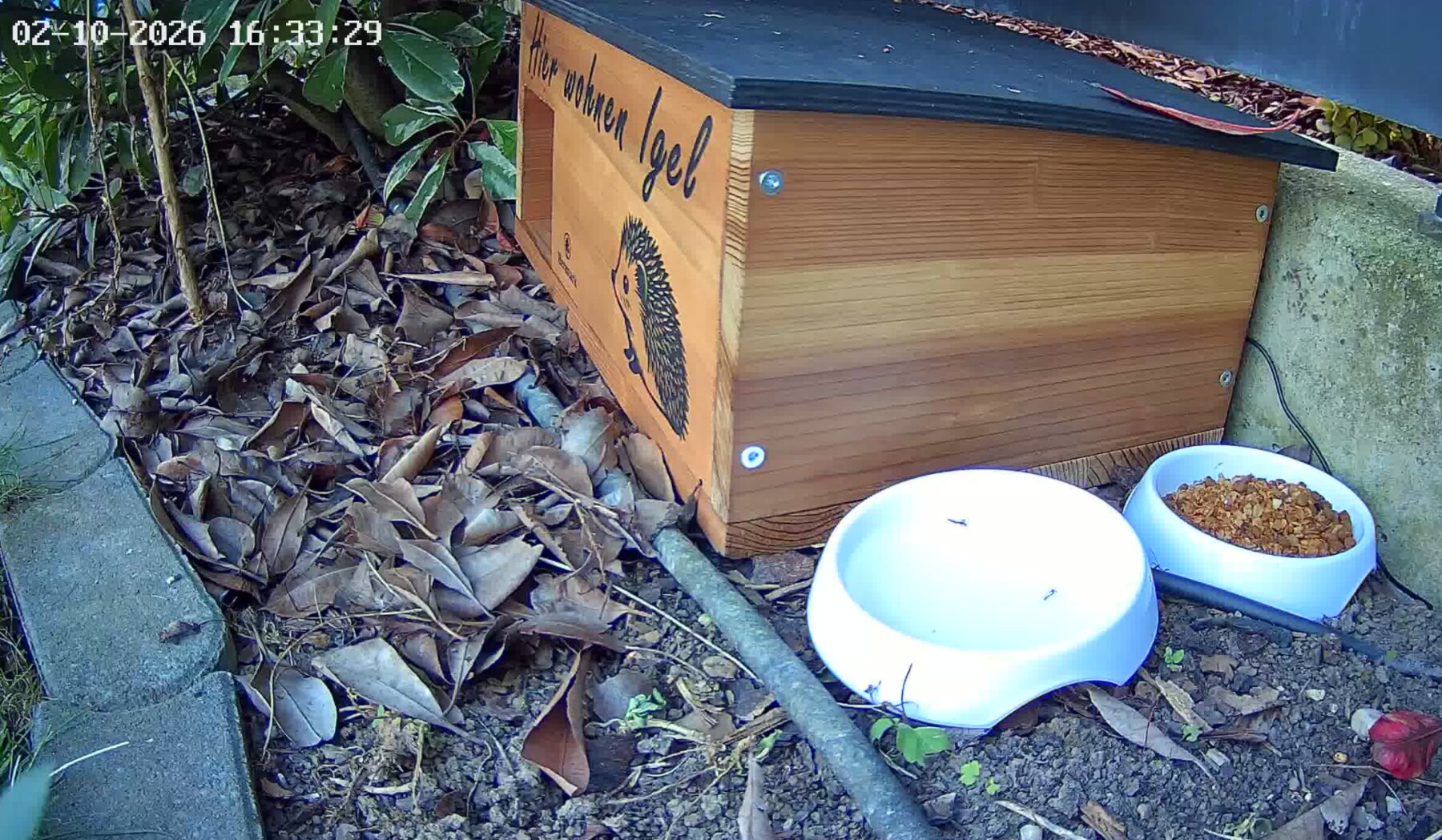
Hedgehog House Exterior
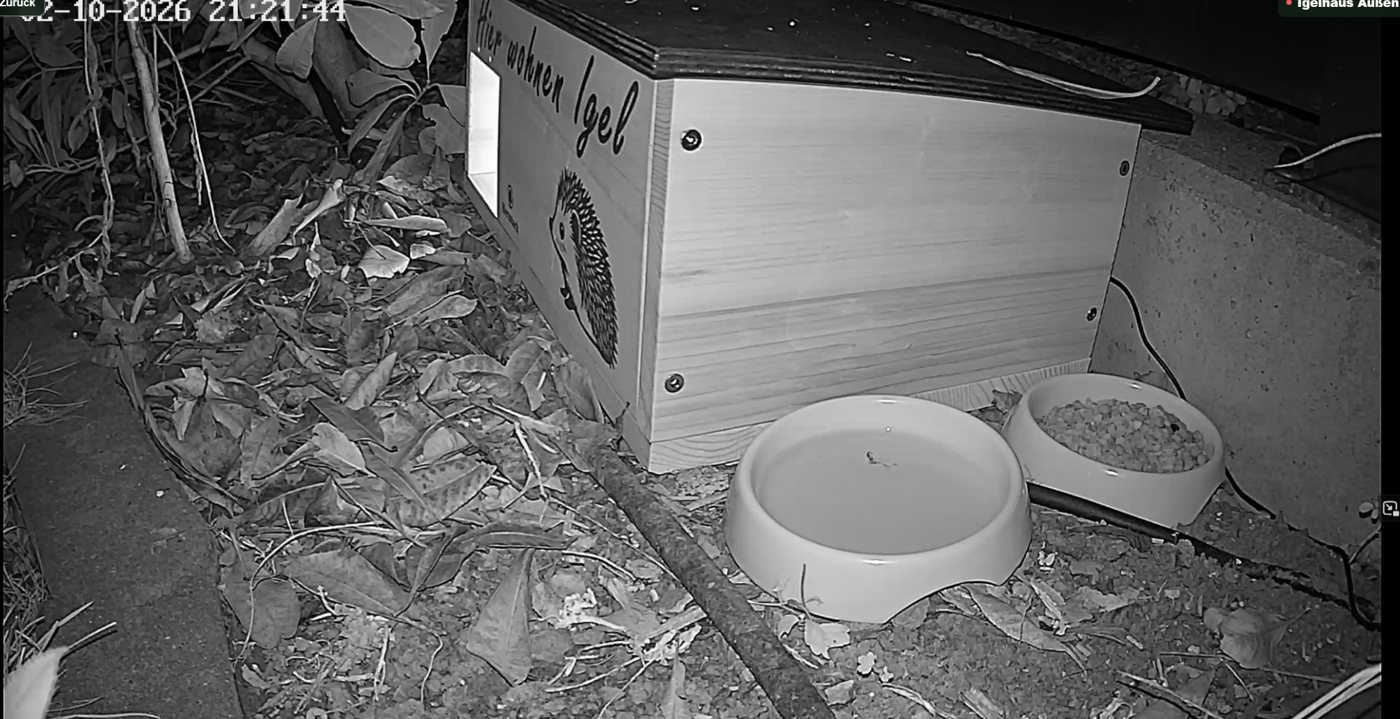
The exterior camera shows the hedgehog house and the area directly in front of it. The entrance, food bowl and water bowl are visible, making it possible to see when a hedgehog arrives, how long it stays outside and whether it enters the house.
View exterior camera live
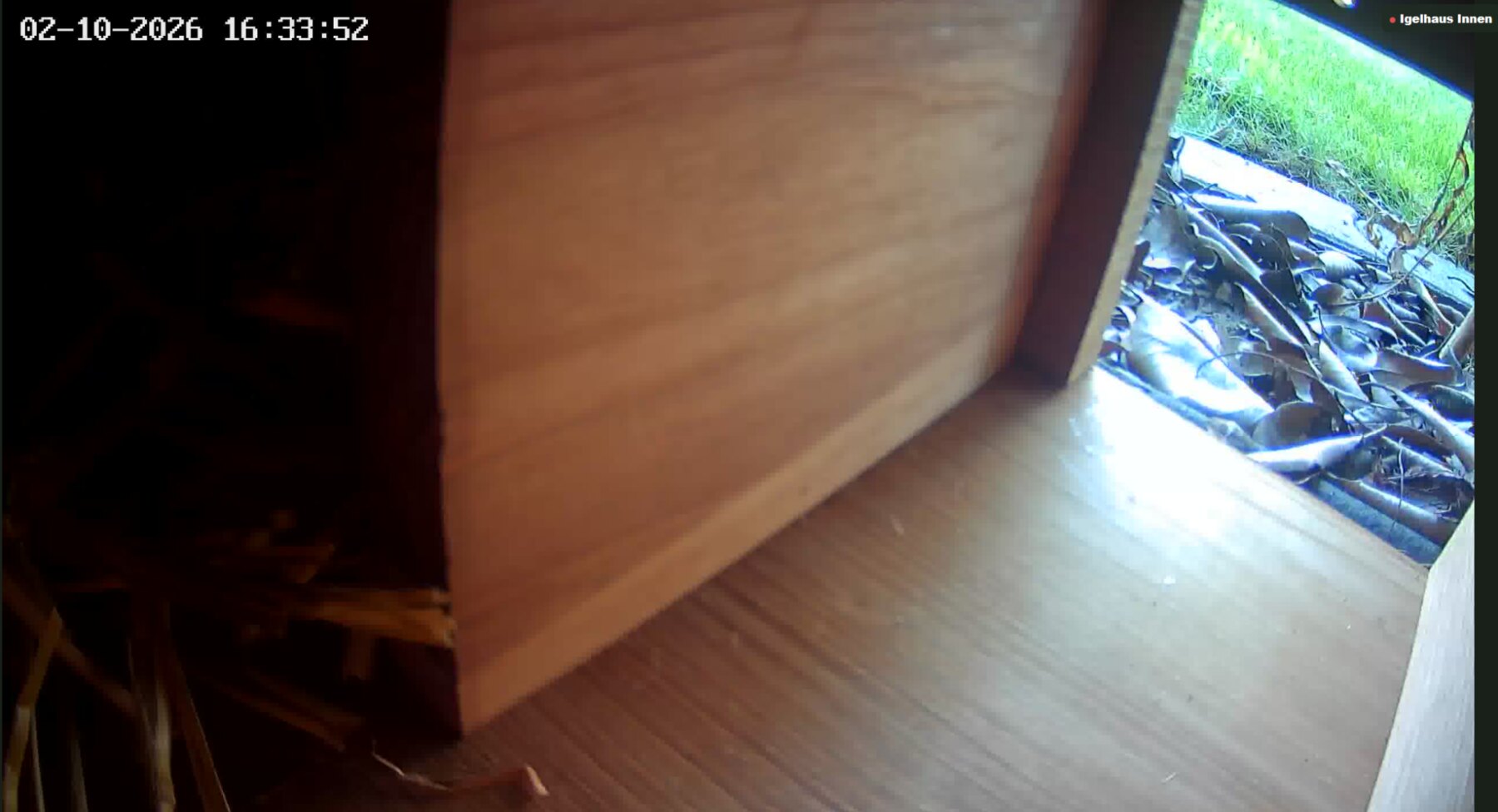
Hedgehog House Interior
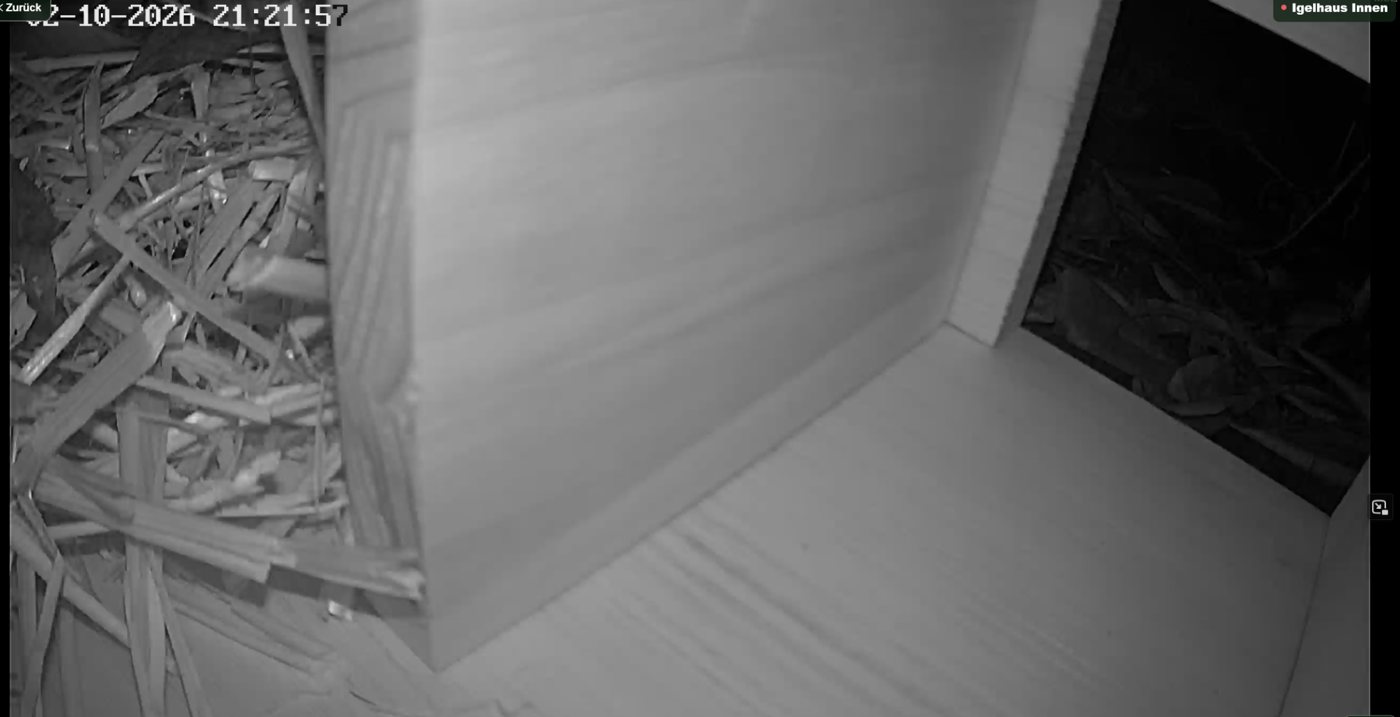
The interior camera looks into the entrance and inside area. Observation therefore does not stop at the doorway: movement inside the hedgehog house and the route into the more sheltered area are also visible.
View interior camera live
Birdhouse
A dedicated camera at the birdhouse has been added as a new sub-project. It expands BöRu-Wildlife with observations around the nesting and feeding area and, like the two hedgehog cameras, is provided centrally through go2rtc.
View birdhouse camera live
New sub-project
Birdhouse project – the next perspective
With the birdhouse, BöRu-Wildlife grows beyond night-time hedgehog observation. While most activity at the hedgehog house happens at dusk and at night, the birdhouse camera adds a very different rhythm: short visits, quick movements and daytime activity.
The technical principle remains the same. The new camera is not operated as a separate island solution but becomes part of the existing infrastructure. Step by step, a hedgehog camera page is turning into a small private wildlife platform.
☀ Daytime observation◉ Live camera⌂ Own NAS
Two worlds, one platform
At the hedgehog house by night. At the birdhouse by day.
☾Hedgehog house
Exterior and interior cameras follow the route from the area in front of the house into the sheltered interior. The focus is on dusk and night.
+
☀Birdhouse
The third camera adds a daytime perspective to the project. It creates a separate observation point that is available through the same technical platform.
=
BöRuWildlife platform
Three streams, one live view, a shared technical foundation and room for future observation projects.
Why three cameras?
The exterior camera shows arrivals, behaviour in front of the hedgehog house, and the food and water station. The interior camera adds the view inside the house. The third camera extends the project to the birdhouse.
Night vision
Hedgehogs are mainly active at dusk and at night. Night vision keeps movement visible even in very low ambient light. The night images are mostly shown in black and white.
Live view and video archive
All three cameras can be viewed live on BöRu-Wildlife. Interesting visits and special moments are also made available as MP4 files in the video archive.
Camera technology
VIM TAG 2.5K Mini Wi-Fi Cameras
The camera views use VIM TAG 2.5K outdoor surveillance cameras / mini Wi-Fi outdoor cameras The compact form factor works well for discreet installation at the observation points around the hedgehog house and birdhouse. The product specification states a 2.5K resolution; in BöRu-Wildlife the video data is processed further over the local network.
The cameras provide ONVIF/RTSP access, allowing the video signal to be used on the local network independently of the manufacturer app. The camera stream itself is transmitted as H.264 and then made available on the Synology for different devices.
View the camera used
Camera typeVIM TAG Mini Wi-Fi outdoor camera
Product specification2,5K
ConnectionWi-Fi / IP network
IntegrationONVIF & RTSP
Video codecH.264
UseHedgehog house exterior, hedgehog house interior and birdhouse
One system for all cameras
The BöRu-Wildlife data path
🦔 Hedgehog House Exterior🦔 Hedgehog House Interior🐦 Birdhouse
→go2rtcBundle streams
→Synology NASProvide centrally
→nginx + HTTPSPublish securely
→BrowserPC · phone · TV
The advantage of the modular setup is that the birdhouse uses the same proven path as the hedgehog cameras. The platform can grow without rebuilding everything for every new observation project.
Technology in the background
From camera image to browser
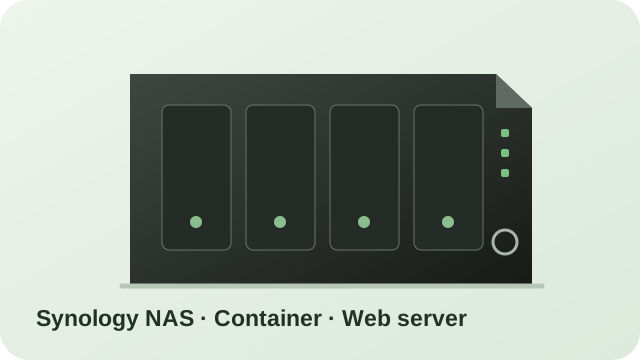
The cameras are on the local Wi-Fi network and provide their video streams via ONVIF/RTSP. go2rtc runs on the Synology and handles the streams centrally. For web browsers, the H.264 data is forwarded with as little re-encoding as possible. Desktop browsers preferably use MSE, while Apple mobile devices use HLS. This keeps startup fast and NAS CPU usage low.
For systems that specifically require MJPEG – such as the Loxone integration – go2rtc also creates a suitable MJPEG stream. The public website is served by nginx The Synology reverse proxy handles external HTTPS access and the certificate for wildlife.harald-boehm.at.
Hedgehog & birdhouse→VIM TAG cameras→ONVIF / RTSP→go2rtc→Synology NAS→nginx / HTTPS→BöRu-Wildlife
Browser streaming
Depending on the browser, the H.264 stream is played via MSE or HLS. This avoids continuously converting individual frames and saves processing power on the NAS.
Loxone
Separate MJPEG endpoints remain available for the Loxone view. This allows the same camera to be used efficiently in the browser and compatibly in Loxone at the same time.
Video archive
Selected recordings are stored as MP4 files on the Synology and automatically listed in the website video archive.
External access
The website is accessible externally over HTTPS. go2rtc and the camera IP addresses remain inside the local network and are not published directly to the internet.
Appearance
Standard, Light, Dark or Auto
The interface can be switched independently of the live streams between the familiar standard design, a brighter light design and an eye-friendly dark mode. In Auto mode, BöRu-Wildlife follows the device system setting. If automatic dark mode is enabled on a phone – for example from sunset – the website follows automatically.
Live statistics
How many people are watching?
BöRu-Wildlife now has its own statistics service running locally on the Synology. It counts visits, currently active browsers and viewers of the three live cameras. A small heartbeat indicates whether a browser is still active; after a short period of inactivity it automatically disappears from the online count.
The analysis runs without an external analytics provider. IP addresses are not permanently stored. Instead, the browser uses a random local identifier, so the figures are intentionally practical estimates.
View statistics
 BöRu-Wildlife